Pages

Showing posts with label Java. Show all posts

Monday, February 4, 2019

Download an excel file after clicking a button posting a json

So my applications display as a nice table the data stored in a database. After filtering and highlighting the displayed data, the users of my applications want to download some selected columns of the table as an excel file. I use very simple solution. Upon clicking a button, the visible contents of the table are posted via ajax to the backend as a two-dimensional array in the json format. When the ajax response is received, the second ordinary http GET request is made to download the excel file generated with Apache POI from the posted data.

My RESTEasy-based backend REST resource class:

@Path("/excel")
@Produces(APPLICATION_JSON_UTF8)
public class ExcelResource {

    @Context
    HttpServletRequest req;
    static String DATA_SESSION_ATTRIBUTE = "DATA_SESSION_ATTRIBUTE";

    @POST
    @Consumes(MediaType.APPLICATION_JSON)
    public void postData(List<List<String>> rows) throws SQLException, IOException, ParseException {
        req.getSession().setAttribute(DATA_SESSION_ATTRIBUTE, rows);
    }

    @GET
    @Produces(MediaType.APPLICATION_OCTET_STREAM)
    public Object getExcel() throws SQLException, IOException, ParseException {
        List<List<String>> rows = (List<List<String>>) req.getSession().getAttribute(DATA_SESSION_ATTRIBUTE);
        return Response.ok(new Excel().convert(rows))
                .header("content-disposition", "attachment; filename = export.xlsx").build();
    }
}

The REST resource uses auxilliary class Excel. For the sake of simplicity I show a short class producing excel files with plain text without any colors:

public class Excel {

    public StreamingOutput convert(List<List<String>> rows) throws FileNotFoundException, IOException, SQLException {
        return new StreamingOutput() {
            public void write(OutputStream out) throws IOException {
                Workbook wb = new XSSFWorkbook();

                Sheet sheet = wb.createSheet("Data");
                for (int r = 0; r < rows.size(); r++) {
                    List<String> sourceRow = rows.get(r);
                    Row row = sheet.createRow(r);
                    for (int c = 0; c < sourceRow.size(); c++) {
                        Cell cell = row.createCell(c);
                        cell.setCellValue(sourceRow.get(c));
                    }
                }

                wb.write(out);
            }
        };
    }
}

The Javascript part is as simple. The value of each td cell is contained inside a div element (because it is easier to manipulate div css properties such as dimensions in response to user actions). Here is a method converting the selected columns of the HTML table into a two dimensional array. Jquery html() method can be used instead of text() to retain the user-generated tags (e.g. html bold tag labeling some search string matches).

                function getSelectedColumns() {
                    var $headers = $resultTable.find('thead th').filter('.' + constants.SELECTED_HEADER);
                    if (!$headers.length) // nothing is selected
                        $headers = $resultTable.find('thead th');
                    var columnIndexes = [];
                    var rows = [];
                    var row = [];
                    for (var i = 0; i < $headers.length; i++) {
                        var $header = $headers.eq(i);
                        console.log($header.text() + "; " + $header.index());
                        columnIndexes.push($header.index());
                        row.push($header.text());
                    }
                    rows.push(row);
                    var $tableRows = $resultTable.find('tbody tr');
                    for (var i = 0; i < $tableRows.length; i++) {
                        var row = [];
                        var $rowTds = $tableRows.eq(i).find('td div');
                        for (var c = 0; c < columnIndexes.length; c++) {
                            var $div = $rowTds.eq(columnIndexes[c]);
                            row.push($div.text());
                        }
                        rows.push(row);
                    }
                    excel.send(rows);
                }

The array is passed to a short require.js module Excel that posts the json, and upon receiving the response triggers the generated file download by changing window.location:

define(['jquery'],
        function ($) {
            return  function  ( ) {
                this.send = function (params) {
                    $.ajax({
                        method: "POST",
                        url: "api/excel",
                        data: JSON.stringify(params),
                        processData: false,
                        contentType: 'application/json'

                    })
                            .done(onLoaded); 

                };

                function onLoaded( ) {
                    window.location = "api/excel";
                }
            };
        });

Thursday, May 24, 2018

Copying data from Oracle to MySQL or from any to any database

There is no official tool to export data from Oracle to MySQL database. Recurrently I need to copy a huge table from the source Oracle to MySQL database. It seems to me that configuring any available tools is more complicated than just using a very simple and therefore reliable java class. The class simply executes in the target database an INSERT statement for each row of the SELECT query executed in the source database. I execute such an tiny application as a background job to copy millions of rows from one VM to another overnight.

The prerequisite is that the target table exists in the target database. But DDL is the easiest part of an export.

public class Main {

    static String SOURCE_TABLE_NAME = "ONM_MOL_DATA", TARGET_TABLE_NAME = "ONM_MOL_DATA_COPY";
    String SQL = "select * from " + SOURCE_TABLE_NAME; 
    String INSERT = "insert into " + TARGET_TABLE_NAME + " values()";
    String DELETE = "delete from " + TARGET_TABLE_NAME;

    void run() throws SQLException, IOException {

        try (Connection oracleCon = ConnectionFactory.getOracleConnection();
                Connection mySQLCon = ConnectionFactory.getMySQLConnection();
                Statement oracleStmt = oracleCon.createStatement();
                ResultSet oracleRs = oracleStmt.executeQuery(SQL)) {
            ResultSetMetaData md = oracleRs.getMetaData();

            String mySQLInsert = getInsert(md.getColumnCount());

            // clean
            Statement mySQLDeleteStmt = mySQLCon.createStatement();
            mySQLDeleteStmt.executeUpdate(DELETE);

            // copy
            mySQLCon.setAutoCommit(false);
            System.out.println(mySQLInsert);
            PreparedStatement mySQLInsertStmt = mySQLCon.prepareStatement(mySQLInsert);

            int row = 0;
            while (oracleRs.next()) {
                for (int c = 1; c <= md.getColumnCount(); c++) {
                    mySQLInsertStmt.setObject(c, oracleRs.getObject(c));
                }
                mySQLInsertStmt.executeUpdate();
                row++;
                if (row % 100000 == 0) {
                    System.out.println("row=" + row);
                }
            }
            mySQLCon.commit();
        }

    }

    String getQuestionMarks(int count) {
        String[] ar = new String[count];
        Arrays.fill(ar, "?");
        return String.join(",", ar);
    }

    String getInsert(int count) {
        return INSERT.replace("values()", "values(" + getQuestionMarks(count) + ")");

    }

    public static void main(String... args) throws SQLException, IOException {
        new Main().run();
    }
}

There is nothing special in ConnectionFactory class:

public class ConnectionFactory {

    public static Connection getMySQLConnection() throws SQLException {
         return DriverManager.getConnection(MYSQL_URL);
    }

    public static Connection getOracleConnection() throws SQLException {
        return DriverManager.getConnection(ORACLE_URL);
    }
}

Executing a jar as a background job on Linux

Often I need to leave overnight a long-running Java application. This is done with help of nohup command that blocks SIGHUP signals to the preceeded application and thereby prevents the application from exiting when the terminal session is terminated:

nohup java -jar CopyOracleToMySQL-1.0.jar > copy.out 2>&1 &

The STDOUT and STDERR output is saved to the file copy.out.

Monday, March 26, 2018

Loading a long value into a String variable from a text file

The max length of a string seems to equal Integer.MAX_VALUE. However, a string literal length in Java is represented by two bytes implying that it cannot be over 65535 bytes. If you try to compile a class with a longer string, an error constant string too long will occur. Sometimes, for example for tests, one needs to use longer String values. Such values can be loaded from a file.

Suppose, a String variable has to be assigned the entire contents of a output.xml file, which contains ~400,000 characters and is saved in the classpath. Method inputStreamToString loads the contents from an InputStream into a String variable:

public class FileUtils {

    public String inputStreamToString(InputStream is) throws IOException {
        StringBuilder sb = new StringBuilder();
        char[] buffer = new char[1024 * 8];
        try (BufferedReader in = new BufferedReader(new InputStreamReader(is, StandardCharsets.UTF_8))) {
            int length;
            while ((length = in.read(buffer)) > -1) {
                sb.append(buffer, 0, length);
            }
        }
        return sb.toString();
    }
}

A test class:

public class FileUtilsTest {

    FileUtils i = new FileUtils();

    @Test
    public void testInputStreamToStringFromResourceFile() throws IOException {
        String resp = i.inputStreamToString(getClass().getResourceAsStream("/output.xml"));
        System.out.println(resp.length());// 358,830
        assertEquals(resp.length(), 358779);
    }

    @Test
    public void testInputStreamToStringFromString() throws IOException {
        System.out.println(Charset.defaultCharset()); // windows-1252
        String str = "this is a test string to be converted to InputStream";
        String copy = i.inputStreamToString(new ByteArrayInputStream(str.getBytes(StandardCharsets.UTF_8)));
        assertEquals(str.length(), copy.length());
    }
}

Another sorter possibility:

    public String readFileToString(String fileName) throws IOException {
        Path filePath = getPathInResources(fileName);
        return new String(Files.readAllBytes(filePath), StandardCharsets.UTF_8);
    }
How to convert a String to an InputStream
InputStream is=new ByteArrayInputStream(str.getBytes(StandardCharsets.UTF_8));

The code is used in the second test above.

How to save a String to a file
 Files.write(Paths.get("src\\test\\resources\\xml0.xml"),str.getBytes(StandardCharsets.UTF_8));

Thursday, March 8, 2018

Adding a datasource to Tomcat and specifying it in persistence.xml

To add a datasource connecting to Oracle database, save the Oracle driver ojdbc7.jar into CATALINA_HOME/lib. Then add a line with the connection details into CATALINA_HOME/conf/context.xml:

<Resource name="jdbc/saphirOracleDB" auth="Container" type="javax.sql.DataSource"
        maxTotal="20" maxIdle="30" maxWait="10000"
        username="username" password="password" driverClassName="oracle.jdbc.OracleDriver"
        url="jdbc:oracle:thin:@//hostname:1555/servicename"/>

In a sample persistence.xml depending on the created datasource, the reference to the datasource is obtained using JNDI name java:/comp/env/jdbc/saphirOracleDB

<?xml version="1.0" encoding="UTF-8"?>
<persistence version="2.1" xmlns="http://xmlns.jcp.org/xml/ns/persistence" xmlns:xsi="http://www.w3.org/2001/XMLSchema-instance" xsi:schemaLocation="http://xmlns.jcp.org/xml/ns/persistence http://xmlns.jcp.org/xml/ns/persistence/persistence_2_1.xsd">
  <persistence-unit name="Saphir" transaction-type="RESOURCE_LOCAL">
    <provider>org.eclipse.persistence.jpa.PersistenceProvider</provider>
    <non-jta-data-source>java:/comp/env/jdbc/saphirOracleDB</non-jta-data-source>
    <class>entities.sqlresultmapping.DummyForMapping</class>
  </persistence-unit>
</persistence>

The entity manager can be obtained in the web application by using the specified persitence unit name:

    private static EntityManagerFactory emf = Persistence.createEntityManagerFactory("Saphir");
    private static EntityManager em = emf.createEntityManager();

Removing accents and other diacritical marks from unicode text so as to convert it into English letters

Often I need to convert unicode text, e.g. French, into English letters. The general way to remove diacritical marks is to decompose characters into chars representing letters and separately marks using Normalizer with form NFD, and then remove all chars holding diacritical signs using a regular expression \p{InCombiningDiacriticalMarks}+ matching the "Combining Diacritical Marks" unicode character block.

The sample class below uses as the input a meaningless text made up of french words with various accents:

public class Clean   {

    static void describe(String str) {
        System.out.println(str + " " + str.length());
    }

    public static void main(String[] args) {
        String str = "«J'ai levé la tête. Il doit être français». Il n'a pensé à lui ôter l'âge et se met à nager âgé.";
        describe(str);
        String normalizedString = Normalizer.normalize(str, Normalizer.Form.NFD);
        // the regexp corresponds to Character.UnicodeBlock.COMBINING_DIACRITICAL_MARKS
        String noDiacriticalMarks = normalizedString.replaceAll("\\p{InCombiningDiacriticalMarks}+", "");
        describe(normalizedString);
        describe(noDiacriticalMarks);
    }
}

In the output the first line is the original string. The second is the same string but normalized. Note, the accents are stored as individual characters which are eliminated in the third line. Each line contains the length of the string.

«J'ai levé la tête. Il doit être français». Il n'a pensé à lui ôter l'âge et se met à nager âgé. 96
«J'ai levé la tête. Il doit être français». Il n'a pensé à lui ôter l'âge et se met à nager âgé. 107
«J'ai leve la tete. Il doit etre francais». Il n'a pense a lui oter l'age et se met a nager age. 96
Remove diacritical marks from a string in Javascript

Analogous approach in javascript taken from here:

const str = "Crème Brulée"
console.log(str + "=>" + str.normalize('NFD').replace(/[\u0300-\u036f]/g, ""));

Sunday, February 18, 2018

Using Backbone Model to post its attributes together with files as multipart form data

Backbone is a tiny and very flexible library for REST-based front end such as single page applications. But I did not find many examples of how to save a model containing both text values and selected files. As the data contains files, it has to be encoded as multipart form data including binary files and the text attributes in json format. A possible short Javascript code in the Backbone model is quite simple:

Backbone.Model.extend({
selectedFiles: [], // the photos to be uploaded
  
saveMultipart: function () {
    var formData = new FormData();
    selectedFiles.forEach(function (photo) {
        formData.append('photo', photo, photo.originalNameSize.nameWithoutExtension);
    });
    formData.append('dataObject', JSON.stringify(this.toJSON( )));
    var options = {
        data: formData,
        contentType: false
    };
    this.save(null, options);
}
// other useful functions
            
});

To submit the model together with the files stored in selectedFiles, method saveMultipart should be called instead of the usual save.

In a JAX-RS-based REST backend the json is extracted from the part arbitrarily named here dataObject and parsed into java classes, whereas the files from the remaining parts are processed in some other way.

A working sample application that is not at all Backbone-based but includes also an example of such a Backbone model-based data submission is stored here. It will be described in more detail in a post about client-side image resizing and uploading them to REST resources.

Saturday, February 17, 2018

Conversion between Date and LocalDateTime

I do not know why the conversion between Date and LocalDate is so complicated and ugly. But I have to do it increasingly often. So this note is on how to convert between Date, LocalDate and milliseconds.

public static void main(String[] args) {
    // convert from Date to LocalDateTime
    Date d = new Date();
    LocalDateTime ld = LocalDateTime.ofInstant(d.toInstant(), ZoneId.systemDefault());

    // convert from LocalDateTime to Date  
    Date d2 = Date.from(ld.atZone(ZoneId.systemDefault()).toInstant());
    System.out.println("date : " + d);
    System.out.println("ldate: " + ld);
    System.out.println("date2: " + d2);

    // compare milliseconds
    System.out.println("millis : " + d.getTime());
    System.out.println("lmillis: " + ld.atZone(ZoneId.systemDefault()).toInstant().toEpochMilli());
}

The output is:

date : Sat Feb 17 14:41:00 CET 2018
ldate: 2018-02-17T14:41:00.941
date2: Sat Feb 17 14:41:00 CET 2018

millis : 1518874860941
lmillis: 1518874860941

Thursday, February 1, 2018

CORS filter for JAX-RS

It should be registered as a singleton in the Application subclass.

public class CORSResponseFilter implements ContainerResponseFilter {

    Logger logger = LoggerFactory.getLogger(getClass().getName());

    @Override
    public void filter(ContainerRequestContext requestContext, ContainerResponseContext responseContext) throws IOException {
        MultivaluedMap headers = responseContext.getHeaders();

        String origin = requestContext.getHeaderString("Origin");
        if (origin != null) {
            headers.add("Access-Control-Allow-Origin", requestContext.getHeaderString("Origin"));
        } 

        headers.add("Access-Control-Allow-Methods", "GET, POST, DELETE, PUT");
        headers.add("Access-Control-Allow-Headers", "X-Requested-With, Content-Type, X-Codingpedia");
        headers.add("Access-Control-Allow-Credentials", true);
    }
}

RESTEasy also provides a CORS filter class. I do not know why it is not only response but also request filter. It is used as any other filter but needs configuration of all the headers to be added.

CorsFilter filter = new CorsFilter();
filter.getAllowedOrigins().add("*");

Configuring Jackson object mapper in RESTEasy

While transforming between Java classes and JSON, Jackson library considers both its own annotations and the conventional JAXB annotations. The final result maybe not obvious. Let's consider a sample class from a sample application:

@XmlRootElement
@XmlAccessorType(XmlAccessType.PUBLIC_MEMBER)
public class MyBean {

    String firstName, lastName, fullName;

    public MyBean(String firstName, String lastName) {
        this.firstName = firstName;
        this.lastName = lastName;
    }

    public MyBean() {
    }

    @XmlElement(name = "jaxbFirstName")
    public String getFirstName() {
        return firstName;
    }

    public void setFirstName(String firstName) {
        this.firstName = firstName;
    }

    @JsonProperty("jacksonLastName")
    public String getLastName() {
        return lastName;
    }

    public void setLastName(String lastName) {
        this.lastName = lastName;
    }

    @XmlElement(name = "jaxbFullName")
    @JsonProperty("jacksonFullName")
    public String getFullName() {
        return firstName + " " + lastName;
    }

    public void setFullName(String fullName) {
        this.fullName = fullName;
    }
}

Jackson set up by RESTEasy prefers its own annotations over the JAXB ones. Note, the default object mapper ignores JAXB annotations (see below). The default output of an object mapper will be:

{"jaxbFirstName":"John","jacksonLastName":"Smith","jacksonFullName":"John Smith"}
Configuring Jackson used by JAX-RS

To configure Jackson, one has to provide his own configured instance by means of a context provider implementing ContextResolver interface. The provider produces an ObjectMapper instance (according to the authors it can be reused) that is to be used by JAX-RS. The following class from another sample application provides a object mapper that produces nicely formatted JSON.

public class MyObjectMapperProvider implements ContextResolver {

    ObjectMapper objectMapper = createObjectMapper();

    @Override
    public ObjectMapper getContext(final Class type) {
        return objectMapper;
    }

    ObjectMapper createObjectMapper() {
        ObjectMapper objectMapper = new ObjectMapper();
        objectMapper.enable(SerializationFeature.INDENT_OUTPUT);
        return objectMapper;
    }
}

And the custom provider has to be registered as a singleton:

@ApplicationPath("/api")
public class MyApplication extends Application {

    public MyApplication() {
        singletons = new HashSet<Object>() {
            {
                add(new MyObjectMapperProvider());
            }
        };
        resources = new HashSet<Class<?>>() {
            {
                add(MyResource.class);
            }
        };
    }

    Set<Object> singletons;
    Set<Class<?>> resources;

    @Override
    // note, it is called twice during RESTEasy initialization, 
    public Set<Class<?>> getClasses() {
        System.out.println(">getClasses()");
        return resources;
    }

    @Override
    // note, it is called twice during RESTEasy initialization, 
    public Set<Object> getSingletons() {
        System.out.println(">getSingletons()");
        return singletons;
    }
}

The json received from the service is formatted now:

{
  "firstName" : "John",
  "jacksonLastName" : "Smith",
  "jacksonFullName" : "John Smith"
}

Note, unlike the default Jackson object mapper in RESTEasy, the default Jackson object mapper (created as above ObjectMapper objectMapper = new ObjectMapper() ) does not recognize JAXB annotations.

Enabling JAXB annotations in Jackson object mapper

The customized object mapper instance has to be further configured in the context provider shown above:

    ObjectMapper createObjectMapper() {
        ObjectMapper objectMapper = new ObjectMapper();
        objectMapper.enable(SerializationFeature.INDENT_OUTPUT).registerModule(new JaxbAnnotationModule());
        return objectMapper;
    }

Now JAXB annotations are priveleged over Jackson ones in the produced JSON:

{
  "jaxbFirstName" : "John",
  "jacksonLastName" : "Smith",
  "jaxbFullName" : "John Smith"
}
Disabling unconventional Jackson annotations

The customized object mapper instance has to be further configured in the context provider shown above:

    ObjectMapper createObjectMapper() {
        ObjectMapper objectMapper = new ObjectMapper();
        objectMapper.enable(SerializationFeature.INDENT_OUTPUT).setAnnotationIntrospector(new JaxbAnnotationIntrospector());;
        return objectMapper;
    }

Now Jackson are ignored in the produced JSON:

{
  "lastName" : "Smith",
  "jaxbFirstName" : "John",
  "jaxbFullName" : "John Smith"
}
Ignore empty properties during serialization

Another usefull setting feature preventing nulls and empty collections from being included into resulting json.

public class MyObjectMapperProvider implements ContextResolver {
    
    static ObjectMapper objectMapper = createObjectMapper();

    @Override
    public ObjectMapper getContext(final Class type) {
        return objectMapper;
    }
    
    static ObjectMapper createObjectMapper() {
        ObjectMapper objectMapper = new ObjectMapper();
        objectMapper.enable(SerializationFeature.INDENT_OUTPUT).setAnnotationIntrospector(new JaxbAnnotationIntrospector()).setSerializationInclusion(JsonInclude.Include.NON_EMPTY);
        return objectMapper;
    }
    
    public static ObjectMapper getObjectMapper() {
        return objectMapper;
    }
}

Sign in with Google into a web application using the server flow.

This post is based on the Google documentation on Google's OAuth 2.0 authentication, where OpenID Connect seems to be the most pertinent and comprehensive section. But overall the documentation is quite confusing. So I summarize it here. A sample Java web application is in GitHub.

First, obtain OAuth 2.0 credentials and set redirect URIs in the Google API Console:

Authentication comes down to obtaining an id token via HTTPS from Google. The most commonly used approaches for authenticating a user Google documentation calls the server/basic flow and the implicit flow:

  • The server/basic flow allows the back-end server of an application to identify the user.
  • The implicit flow is when a client-side JavaScript app accesses APIs directly and not via its back-end server.

The major difference is that in implicit flow tokens are sent as url hash, whereas in server flow tokens are sent as url parameters. Also unlike the implicit flow, the server flow requires client secret. Here I illustrate the server flow for authentication. The implicit flow using Google API Javascript library I demonstrated in a previous post.

When a user tries to sign in with Google, the application has to:

  1. Send an authentication request with the appropriate parameters to Google authorization_endpoint.
    • client_id from the API Console.
    • response_type should be code, which launches a Basic flow. If the value is token id_token or id_token token, launches an Implicit flow, requiring the use of Javascript at the redirect URI to retrieve tokens from the URI #fragment.
    • nonce A random value generated by your app that enables replay protection.
    • scope should be openid email. The scope value must begin with the string openid and then include profile or email or both.
    • redirect_uri the url to which browser will be redirected by Google after the user completes the authorization flow. The url must exactly match one of the redirect_uri values listed in the API Console. Even trailing slash / matters.
    • state should include the value of the anti-forgery unique session token, as well as any other information needed to recover the context when the user returns to your application, e.g., the starting URL.

    A sample URL from the link, which is supposed to be a button, my sample application:

    https://accounts.google.com/o/oauth2/v2/auth?client_id=517342657945-qv1ltq618ijj9edusgnnbpmbghkatc2q.apps.googleusercontent.com&redirect_uri=http://localhost:8080/test/server&scope=email&response_type=code&nonce=1845254249&state=u72lptpmf78lqv7nuid23l8hfa

    Google handles the user authentication and user consent. After a user signs in to Google, the browser is redirected to the indicated url with two appended parameters:

    http://localhost:8080/test/server?state=u72lptpmf78lqv7nuid23l8hfa&code=4/H3hLypL85UqpnKUT3po5vWIeYyZD4oPBjNyGk_rcYNI#

    Note, if a user has one Gmail account and is logged in, the user will not see any Google consent page and will be automatically redirected. But if the user has several accounts or is logged out, he has to choose one or log in on the Google page.

    If the user approves the access request, an authorization code is added to redirect_uri. Otherwise, the response contains an error message. Either authorization code or error message appear on the query string.

  2. Confirm that the state received from Google matches the state value sent in the original request.
  3. Exchange the authorization code for an access token and ID token.

    The response includes a one-time code parameter that can be exchanged for an access token and ID token. For that, the server sends POST request to the token_endpoint. The request must include the following parameters in the POST body:

    • code the received authorization code
    • client_id from the API Console
    • client_secret from the API Console
    • redirect_uri specified in the API Console
    • grant_type equals authorization_code

    A sample request by my sample application:

    POST https://www.googleapis.com/oauth2/v4/token
    
    code=4/H3hLypL85UqpnKUT3po5vWIeYyZD4oPBjNyGk_rcYNI&client_id=517342657945-qv1ltq618ijj9edusgnnbpmbghkatc2q.apps.googleusercontent.com&client_secret=0PVwYgPuLpH3PFHljPkbtJeP&redirect_uri=http://localhost:8080/test/server&grant_type=authorization_code

    A successful response includes a JSON with fields:

    • access_token A token that can be sent to a Google API.
    • id_token containing the information about the user
    • expires_in The remaining lifetime of the access token.
    • token_type always has the value Bearer.

    The response to the request above was:

    {"access_token":"ya29.GlxTBVKmo1YcUb_gyYstxB1Q-YpYzVviVp-uJKvU6CNfyhGUtD8oZJhliX9YADuKjebSZFxK1yL--TRxW_POT5vyBh9L43tlmzERrU8cwSSkl9U3n0zkY4nbHcnvoA","token_type":"Bearer","expires_in":3600,"id_token":"eyJhbGciOiJSUzI1NiIsImtpZCI6IjI2YzAxOGIyMzNmZTJlZWY0N2ZlZGJiZGQ5Mzk4MTcwZmM5YjI5ZDgifQ.eyJhenAiOiI1MTczNDI2NTc5NDUtcXYxbHRxNjE4aWpqOWVkdXNnbm5icG1iZ2hrYXRjMnEuYXBwcy5nb29nbGV1c2VyY29udGVudC5jb20iLCJhdWQiOiI1MTczNDI2NTc5NDUtcXYxbHRxNjE4aWpqOWVkdXNnbm5icG1iZ2hrYXRjMnEuYXBwcy5nb29nbGV1c2VyY29udGVudC5jb20iLCJzdWIiOiIxMTY4NjczMDQ5NzEyODQ3OTg1NjYiLCJlbWFpbCI6Im1hcmlhbi5jYWlrb3Zza2lAZ21haWwuY29tIiwiZW1haWxfdmVyaWZpZWQiOnRydWUsImF0X2hhc2giOiJLQ2tlX051V1NXMzRLYng5XzhtRm9BIiwibm9uY2UiOiIxODQ1MjU0MjQ5IiwiZXhwIjoxNTE3NDM2MjYwLCJpc3MiOiJodHRwczovL2FjY291bnRzLmdvb2dsZS5jb20iLCJpYXQiOjE1MTc0MzI2NjB9.MR6tnc5qnnL1VZmmONp4brWj5C9FQqIopIqa-UPc9NMz_qbAP37VpCSLn3CDdUouXCG7XpjTQbXZRvg9ZUP9-v_J5K9Crgp75csrVIBoWVre_yjncoFusEAc0efQOLUFwyKLV6cUsTMiUVoAkwWG6tOe_ZwXshq3-psblqpwwJxyILFFE2QiJviLH622S9YPBv0LA-tdTeqXOzt7yAK_cBeY-dnXXJfwVErY0yCGFAGOWf3WtTtzaWzxBshpMae9jRazsd3qgyiVtahD8IlfPUHhpYzDZs0RKuXBbfBF_wuB-cfyNhtuAdJfdaVNcWGLqqkQ4qkJGFhP8L5VMe1U_g"}
    
  4. Obtain user information from the ID token

    An ID Token is a JWT (JSON Web Token) - a signed Base64-encoded JSON object. Since it is received directly from Google over HTTPS it does not need to be validated. The encoded JSON contains the following fields:

    • email The user's email address provided only if your scope included email
    • profile The URL of the user's profile page provided when scope included profile
    • name The user's full name, in a displayable form provided when scope included profile
    • nonce The value of the nonce supplied by your app in the authentication request. You should enforce protection against replay attacks by ensuring it is presented only once.

    A simple Java code to extract the email from an id token:

    public JsonObject decodeIdToken(String idToken) {
        String secondStr = idToken.split("\\.")[1];
        byte[] payloadBytes = Base64.getDecoder().decode(secondStr);
        String json = new String(payloadBytes);
        JsonReader jsonReader = Json.createReader(new StringReader(json));
        return jsonReader.readObject();
    }

    The id token above was decoded by this method into:

    {"azp":"517342657945-qv1ltq618ijj9edusgnnbpmbghkatc2q.apps.googleusercontent.com","aud":"517342657945-qv1ltq618ijj9edusgnnbpmbghkatc2q.apps.googleusercontent.com","sub":"116867304971284798566","email":"marian.caikovski@gmail.com","email_verified":true,"at_hash":"KCke_NuWSW34Kbx9_8mFoA","nonce":"1845254249","exp":1517436260,"iss":"https://accounts.google.com","iat":1517432660}
    
  5. Authenticate the user in your application.

To keep my sample application simple, all those steps are done in a servlet. If any check fails, a error message is displayed with a link for sign in. If user successfully logs in, his email is displayed. The email suffices for authentication in the back end.

@WebServlet(name = "MyAuthServlet", urlPatterns = {"/server"})
public class MyAuthServlet extends HttpServlet {

    OpenId openId = new OpenId();

    protected void service(HttpServletRequest request, HttpServletResponse response) throws ServletException, IOException {
        response.setContentType("text/html;charset=UTF-8");
        String code = request.getParameter(CODE);
        HttpSession session = request.getSession();
        String receivedState = request.getParameter(STATE); 
        String savedState = (String) session.getAttribute(STATE);
        String newState = openId.getState();
        session.setAttribute(STATE, newState);
        String savedNonce = (String) session.getAttribute(NONCE);
        String newNonce = openId.getNonce();
        session.setAttribute(NONCE, newNonce);

        try (PrintWriter out = response.getWriter()) {
            if (code != null) {
                if (savedState.equals(receivedState)) {
                    String idToken = openId.exchangeCodeForToken(code);
                    if (idToken != null) {
                        JsonObject json = openId.decodeIdToken(idToken);
                        String receivedNonce = json.getString(NONCE);
                        if (savedNonce.equals(receivedNonce)) {
                            String email = json.getString(EMAIL);
                            out.println("<p>Hello " + email + "</p>");
                            return;
                        } else {
                            out.println("Nonces differ");
                        }
                    } else {
                        out.println("Id token is missing");
                    }
                } else {
                    out.println("States are different");
                }
            } else {
                out.println("<p>Code is null</p>");
            }
            out.println("<a href='" + openId.getUrl(newState, newNonce) + "'>Click to sign in</a>");
        }
    }
}

Wednesday, January 31, 2018

POST with HttpUrlConnection

A shot note on POST requests:

public InputStream post(String url, String params) throws IOException {
    URL u = new URL(url);
    HttpURLConnection con = (HttpURLConnection) u.openConnection();
    con.setRequestMethod("POST");
    con.setDoOutput(true);
    try (OutputStreamWriter out = new OutputStreamWriter(con.getOutputStream())) {
        out.write(params);
    }

    return con.getInputStream();
}

GET request much simpler:

    String getAmazonHostName() throws  IOException {
        URL url = new URL("http://169.254.169.254/latest/meta-data/public-hostname");
        try (BufferedReader in = new BufferedReader( new InputStreamReader(url.openStream()))) {
            String inputLine = in.readLine();
            System.out.println("amazon public hostname: " + inputLine);
            return inputLine;
        }
    }

Tuesday, January 30, 2018

Switching off automatic discovery of resource classes and providers in JAX-RS by explicitely registering them

Switching on/off automatic discovery of resource classes and providers in JAX-RS

The automatic discovery may complicate things when provider classes are included in the libraries used by an application or preinstalled in a server, for example Jackson-related jar in Wildfly. So I prefer to switch off every features I am not aware of. The JAX-RS specification states:

  • When an Application subclass is present in the archive, if both Application.getClasses and Application.getSingletons return an empty collection then all root resource classes and providers packaged in the web application MUST be included and the JAX-RS implementation is REQUIRED to discover them automatically by scanning a .war file as described above.
  • If either getClasses or getSingletons returns a non-empty collection then only those classes or singletons returned MUST be included in the published JAX-RS application.

So, essentially if methods getClasses and getSingletons are not overriden the resource classes and providers are discovered automatically. Let's use two root resource classes to illustrate the rule. The full illustration code is available in Github.

@Path("/registered")
public class MyRegisteredResource {

    @GET
    public String getBook() {
        return "Hello Registered World!";
    }
}

@Path("/unregistered")
public class MyUnregisteredResource {

    @GET
    public String getBook() {
        return "Hello Unregistered World!";
    }
}

Both resources operate if the Application class is empty:

@ApplicationPath("/api")
public class MyApplication extends Application {
}

If I override getClasses method, only the resource class returned by the method will function:

@ApplicationPath("/api")
public class MyApplication extends Application {

    @Override
    public Set<Class<?>> getClasses() {
        return new HashSet<Class<?>>() {
            {
                add(MyRegisteredResource.class);
            }
        };
    }
}
In which method to register a class?

Quotes from the JAX-RS specification on the Lifecyle of providers and resource classes :

  • By default a new resource class instance is created for each request to that resource.
  • By default a single instance of each provider class is instantiated for each JAX-RS application.
  • By default, just like all the other providers, a single instance of each filter or entity interceptor is instantiated for each JAX-RS application.

So the root resource classes should be returned by getClasses, whereas providers, including filters, by getSingletons method.

Getting the standard servlet defined types such as HttpServletRequest in ContainerRequestFilter

The worst feature of JAX-RS filters is there is not straightforward way to access HttpServletRequest instance. The reference to HttpServletRequest can be injected into managed classes using @Context annotation. However, according to the specification the filters have to be instantiated singletons. That means that injection will not work.

If you want to access in a filter any of the standard servlet arguments such as HttpServletRequest, HttpServletResponse, ServletConfig, ServletContext, the filter will have to be registered in getClasses, so that its instance is created and injected for each request. Otherwise injection is impossible and without it there is no way to access the servlet-defined types.

Thursday, January 25, 2018

Login into a web application with Facebook via redirect

Like Google, the Facebook documentation on login includes two options: using Facebook Javascript SDK and without it. I used the second option, manually building a login flow, to create a Javascript-free login flow for the back-end.

In my simple web application the flow is as follows:

  • When the login button is click, the user is redirected to the facebook page. The login button is inside an anchor tag:

    <a href="https://www.facebook.com/v2.12/dialog/oauth?client_id=407938939637716&redirect_uri=http://localhost:8080/test/facebook&scope=email&response_type=code&state=http://localhost:8080/test/|1462070876
    ">

    The url contains the following parameters:

    • client_id from the app's dashboard.
    • redirect_uri will receive the response from the Facebook login. The uri must be whitelisted in the App Dashboard.
    • state maintains state between the request and callback. It will be appended unchanged to the redirect_uri.
    • response_type:
      • code - the response data is included as URL parameters and contains code parameter. The data is accessible to the back-end.
      • token - the response data is included as a URL fragment and contains an access token. The response hash can be accesses only on the client by javascript.
    • scope - a list of Permissions to request from the person using your app. Note, even if you request the email permission it is not guaranteed you will get an email address. For example, if someone signed up for Facebook with a phone number instead of an email address, the email field may be empty.
  • After a login attempt, the browser is redirected to the redirect_uri with appended response paremeters code and state:

    http://localhost:8080/test/facebook?code=AQAlQPnW9Vbft-F8DW_ybmgjnk5fJ9ok7YiOglNDvougkpDUYyOC4D5gdhWQ4o54cYcVE9bihhvKjO6HRIQCXNIhLW6jUlaCvehwScSXbE9U3zDKBsbJo-uvMgPc9xJbzKAunmIdr3dDjJ72-SKqipvEYTkHtKksbVDEfbUR4DRL6ei8SQyf7A-8ULAGhZhJAgLsqfKYkqal2GzgbxtK3npvBS1OiWZFZvlGirHPbnOpM80EO5E7WDBqG7GsSR9c6lM6Xudehpo7U9OacW5h2XDwIuVTCFg3pNgtiptkotEimhBgigdgWTLFJJgYzFhYRrfj3O-ksbcAknd_nqUvYFfgewJo-5ejJ4HL1fGdzlrF-A&state=http%3A%2F%2Flocalhost%3A8080%2Ftest%2F%7C1462070876

    The state values in the original request and the response are the same. The code has to be included in a GET request to another endpoint. Additionally, client_id, redirect_uri used in the initial request, and client_secret from the App Dashboard are required.

    https://graph.facebook.com/v2.12/oauth/access_token?code=AQAlQPnW9Vbft-F8DW_ybmgjnk5fJ9ok7YiOglNDvougkpDUYyOC4D5gdhWQ4o54cYcVE9bihhvKjO6HRIQCXNIhLW6jUlaCvehwScSXbE9U3zDKBsbJo-uvMgPc9xJbzKAunmIdr3dDjJ72-SKqipvEYTkHtKksbVDEfbUR4DRL6ei8SQyf7A-8ULAGhZhJAgLsqfKYkqal2GzgbxtK3npvBS1OiWZFZvlGirHPbnOpM80EO5E7WDBqG7GsSR9c6lM6Xudehpo7U9OacW5h2XDwIuVTCFg3pNgtiptkotEimhBgigdgWTLFJJgYzFhYRrfj3O-ksbcAknd_nqUvYFfgewJo-5ejJ4HL1fGdzlrF-A&client_id=407938939637716&client_secret=7fd6fa037e097fcf002fb350b815f5b3&redirect_uri=http://localhost:8080/test/facebook

    The response is a Json containing an access_token.

    {"access_token":"EAAFzBKZBWT9QBABhRNBOKwQZBMza2siRzUZBeQHi0Jp2qrXijTEnbVijy4ZAjnTzBzigZA11Vh4RhZBZB2DDu1n8fEJBdBh5mxFETqJJFLLHQnkG0XyffthKg2tU62csiCvsCHxiVOMuZAWy2lS74sKLTbL8sC8EgLEZD","token_type":"bearer","expires_in":5181583}

    That the difference from Google sign in. In Google additionally id_token with the user's detail is received. In Facebook an additional request is required.

  • Using the received access token, the sever-side code makes yet another GET request retrieves a user email from the Graph API. The /me node is a special endpoint that translates to the user_id of the person whose access token is currently being used to make the API calls. Access tokens are portable. Graph API calls can be made from clients or from your server on behalf of clients. The calls to the Graph API are better secured by adding appsecret_proof parameter.

    https://graph.facebook.com/v2.12/me?access_token=EAAFzBKZBWT9QBABhRNBOKwQZBMza2siRzUZBeQHi0Jp2qrXijTEnbVijy4ZAjnTzBzigZA11Vh4RhZBZB2DDu1n8fEJBdBh5mxFETqJJFLLHQnkG0XyffthKg2tU62csiCvsCHxiVOMuZAWy2lS74sKLTbL8sC8EgLEZD&debug=all&fields=email&format=json&method=get&pretty=0&appsecret_proof=34b9499185c81a1f37a68cb3b012ae2dcb6882d8066dc58c88641247c28bbce9
    

    The response is a json:

    {"email":"dummy000@mail.ru","id":"10215579219697013","__debug__":{}}

    The retrieved email is used to log the user into the web application.

In App Dashboard I used such security settings:

The option below allows only the API calls that either include appsecret_proof or are made from the same device the token was issued.

Wednesday, January 24, 2018

Generating MD5, SHA-1, SHA-256, SHA-384, SHA-512 message digests

Just a note within sight. To generate hashes using any possible algorithms, I use digest method of a Java class:

public class MessageHash {

    static String DEFAULT_ALGORITHM = "SHA-1"; // MD5, SHA-1, SHA-256, SHA-384, SHA-512

    static String digest(String input, String algorithm) throws NoSuchAlgorithmException {
        MessageDigest md = MessageDigest.getInstance(algorithm);
        return HexConverter.bytesToHex(md.digest(input.getBytes()));
    }

    public static String digest(String input) {
        try {
            return digest(input, DEFAULT_ALGORITHM);
        } catch (NoSuchAlgorithmException ex) {
            throw new RuntimeException("This is impossible");
        }
    }
}

HmacSHA256 - sha256 hash using a key (for appsecret_proof in Facebook)

Unlike Google, in Facebook access tokens are portable - they can be used without client or app id. To kind of protect or rather label them, all Graph API calls from a server (only server) should secured by adding a parameter appsecret_proof set to the sha256 hash of the access token generated using the app secret as the key.

Here is an example of how to do it on a Java server:

public class Sha256Digest {

    Mac mac;
     
    Sha256Digest() throws UnsupportedEncodingException, NoSuchAlgorithmException, InvalidKeyException {
        this(APP_SECRET);
    }

    Sha256Digest(String key) throws UnsupportedEncodingException, NoSuchAlgorithmException, InvalidKeyException {
        SecretKeySpec sk = new SecretKeySpec(key.getBytes(StandardCharsets.UTF_8.toString()), "HmacSHA256");
        mac = Mac.getInstance("HmacSHA256");
        mac.init(sk);
    }

    String hash(String msg) throws UnsupportedEncodingException {
        return HexConverter.bytesToHex(mac.doFinal(msg.getBytes(StandardCharsets.UTF_8.toString())));
    }

    public static void main(String[] args) throws Exception {
        System.out.println(new Sha256Digest().hash("Test"));
    }
}

For converting an array of bytes into a string of hexadecimal values I use an additional class:

public class HexConverter {

    private final static char[] HEXARRAY = "0123456789abcdef".toCharArray();

    public static String bytesToHex(byte[] bytes) {
        char[] hexChars = new char[bytes.length * 2];
        for (int j = 0; j < bytes.length; j++) {
            int v = bytes[j] & 0xFF;
            hexChars[j * 2] = HEXARRAY[v >>> 4];
            hexChars[j * 2 + 1] = HEXARRAY[v & 0x0F];
        }
        return new String(hexChars);
    }
}

The resulting string can be included in Facebook calls like:

https://graph.facebook.com/v2.11/me?access_token=EAAFzBKZBWT9QBAFXEDBfdKu8Q7cDXZAWXSaZAIKuDZB04A5mAlCTMpXKgBJNd42MXZAo5Gk8ZAv8u6mjCXGLfLTjT6ORikMLWOCFTxbaxHqcOfpJU7iGIyk5xKozSv0HG4ctm0wpE2xHriZCeITEQZAKWbHoveuj2xbGSBvdPhE8uX5HXtEdgUkc82XNZAuQSLi8ZD&debug=all&fields=email&format=json&method=get&pretty=0&appsecret_proof=734e6e019eb20821682797320845f1df2e813f01cc779cbcd94bb55a9a37457f

To prevent API calls lacking the proof, Require App Secret switch should be activated in the application settings. Only allow calls from a server and require app secret or app secret proof for all API calls.

Using JSON-P to parse heterogeneous JSON in HTTP responses

Suppose you need to query Facebook Graph API. The responses to your HTTP requests have JSON format. A very convinient Java API for JSON Processing helps to parse and query the heterogeneous JSON responses.

For example, I try to get an email of the user whose access token was obtained after the user's login into my application. For this, I access url like:

https://graph.facebook.com/v2.11/me?access_token=EAAFzBKZBWT9QBAHzWcGGSy5GepjlS9S1YEPvN1p2jwaGxc0QZCaVoAZCmsZB8YaE1AkegbmObdBDY64DDD1t1kxezOgpEFKbbLKlyQyPcEiyUZCwSI3iJOhe9ioahZA9Ye6hvOybhzGeOODFdihEnPbuw5sso5CzPEZAQL1RkdM3cfKajOdKsPmMWOvNhrDtE0ZD&debug=all&fields=email&format=json&method=get&pretty=0

The reponse is a JSON with some hexadecimal digits encoding @ character:

{"email":"marian.caikovski\u0040mail.ru","id":"10215579219697013","__debug__":{}}

To easily execute an HTTP request, parse the response and get the decoded email property I use:

String readUserEmailFromGraphAPI(String token) throws IOException {
    try (JsonReader jsonReader = Json.createReader(
            new InputStreamReader(
                    new URL("https://graph.facebook.com/v2.11/me?access_token=" + token + "&debug=all&fields=email&format=json&method=get&pretty=0")
                            .openStream()))) {
        JsonObject obj = jsonReader.readObject();
        return obj.getString("email");
    }
}

How to get a request url hash on the back end server. Reconstructing the full request url in a servlet.

It is impossible, the browser does not include the hash into the request url sent to the server:

Just a note for myself on what values of the request path can be extracted from HttpServletRequest in a servlet:

The full request path can be reconstructed by a function like:

request.getRequestURL() + (request.getQueryString() != null ? ("?" + request.getQueryString()) : "")

Monday, January 22, 2018

How to activate gzip compression of selected content types in Tomcat or Wildfly

Another note for myself. To enable gzip compression in tomcat add an additional attribute to Connector tag in CATALINA_HOME/conf/server.xml:

<Connector port="8080" protocol="HTTP/1.1" connectionTimeout="20000" redirectPort="443" compressibleMimeType="application/javascript,text/css,application/json" compression="on"/>

Wildfly is not so well documented as Tomcat. So this note assembled from pieces of information saves time. Essentially one needs to enable and configure gzipFilter using Undertow predicates. Edit the default configuration file standalone.xml:

<subsystem xmlns="urn:jboss:domain:undertow:3.1">
    <buffer-cache name="default"/>
    <server name="default-server">
        <http-listener name="default" socket-binding="http" redirect-socket="https" enable-http2="true"/>
        <https-listener name="https" socket-binding="https" security-realm="ApplicationRealm" enable-http2="true"/>
        <host name="default-host" alias="localhost">
            <location name="/" handler="welcome-content"/>
            <access-log pattern="%h %t "%r" %s "%{i,User-Agent}"" prefix="myaccess."/>
            <filter-ref name="gzipfilter" predicate="regex[pattern='text/html|text/css|application/javascript|application/json',value=%{o,Content-Type}] and max-content-size[value=1024]"/>
        </host>
    </server>
    <servlet-container name="default">
        <jsp-config/>
        <persistent-sessions path="sessions" relative-to="jboss.server.temp.dir"/>
        <websockets/>
    </servlet-container>
    <handlers>
        <file name="welcome-content" path="${jboss.home.dir}/welcome-content"/>
    </handlers>
    <filters>
        <gzip name="gzipfilter"/>
    </filters>
</subsystem>

All the possible predicates are listed in Undertow documentation. Some people use url-based predicates like:

<filter-ref name="gzipFilter" predicate="path-suffix['.css'] or path-suffix['.js']" />

Alternatively, one can use a custom gzip compression servlet filter that can be more easily configured to target some specific output. A working example is in GitHub. I keed this sample only because it works well and its GIPOutputStream potentially could be replaced by some other stream to for example encrypt the output or produce hashes.

Google Sign in into a website using redirect ux_mode

Google Javascript client library used for sign in is built on the OpenID Connect protocol, which is straightforward. The library uses the implicit flow whereby tokens are passed in url hash. It is not a good option for server side authentication. It differs from a less complicated basic/server flow in which tokens are passed as url parameters. The server flow I describe in a separate post.

Google Sign-In for Websites documentation provides only examples where users sign in via a Google popup. I adapted their code so that another redirect, which is another consent flow option, is used. I also added a primitive backend code that process the ID token. In my sample web application saved to GitHub, the entire consent flow happens in one window without any popups because the initialization is launched with following parameters:

gapi.auth2.init({
            client_id: clientId,
            fetch_basic_profile: false, 
            scope: 'email',
            ux_mode: 'redirect', 
            redirect_uri: 'http://localhost:8080/test/' 
        })

The application can be deployed to Tomcat or anywhere, but first a client id should be generated in google API console and copied to Constants class.

For the unauthenticated users the welcome page displays only the standard Google Sign-In button that meets the strict Google branding guidelines.

On clicking the button the browser is redirected to Google authentication page.

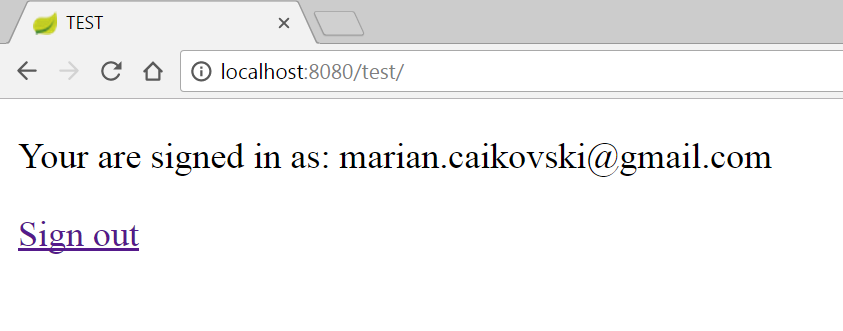
If the user has only one account in Google and he is already signed in, he is immediatly redirected by to the original page. Otherwise, the user has to select with what account to sign in and then upon authentication, the user is redirected back to the original page. To imitate a complete process of authentication, the page forwards the received from google ID token to the REST resource in the Java backend. The backend process the id, and sends back a JSON with the user's email. So for the authenticated users the only page displays their email received from the Java backend and a link for signing out.